
TL;DR:
- Effective enterprise chatbots reduce wasted time, improve employee and customer satisfaction, and enable strategic focus.
- Successful deployment requires clear objectives, compatible architecture, strong governance, and thorough testing.
- Scaling involves incremental channel and use case expansion, multi-agent orchestration, and continuous measurement of success.
Large organizations lose thousands of productive hours each year to repetitive help desk tickets, manual HR requests, and fragmented customer service workflows. When staff spend their days answering the same questions or routing the same requests, the real cost isn't just time. It's missed strategic work, frustrated employees, and customers who feel underserved. A properly configured enterprise chatbot can cut that waste dramatically, but only if you set it up with the right architecture, governance, and metrics from the start. This guide walks your team through every critical stage, from readiness assessment to scaling multi-agent systems, with honest advice on the pitfalls most organizations never see coming.
Table of Contents
- Assessing readiness and prerequisites for enterprise chatbot deployment
- Configuring and building your enterprise chatbot: Step-by-step
- Ensuring governance, data protection, and minimizing risks
- Measuring success: Metrics and continuous improvement
- Scaling up and future trends: Multi-agent orchestration and proactive AI coworkers
- The real-world truth about enterprise chatbot rollouts
- Power your enterprise automation with CrossPath
- Frequently asked questions
Key Takeaways
| Point | Details |
|---|---|
| Plan and govern first | Thorough preparation and strong governance prevent costly pitfalls and ensure your enterprise chatbot delivers value. |
| Iterative deployment works best | Starting with small pilots and controlled rollouts helps identify issues and unlock business impact before scaling. |
| Metrics drive improvement | Tracking key KPIs like containment, CSAT, and ROI helps you refine your chatbot and maximize automation value. |
| Future is proactive AI | Tomorrow’s chatbots will act as proactive coworkers, orchestrating complex workflows and continuous business transformation. |
Assessing readiness and prerequisites for enterprise chatbot deployment
Let's start by looking at what you need to have in place before building your enterprise chatbot.
Before you write a single prompt or configure a single integration, your team needs a clear-eyed view of where you stand. Start with business objectives. Are you targeting IT helpdesk deflection, HR self-service, customer support, or order processing? Each use case carries different data requirements, compliance obligations, and success metrics. Vague goals produce vague bots.
Next, audit your existing IT architecture. Ask whether your data sources are accessible via APIs, whether your identity management system supports single sign-on, and whether your network policies allow the chatbot platform to connect to internal systems. Compatibility gaps discovered mid-build are expensive to fix.
Governance and compliance requirements deserve equal attention upfront. Identify which data the bot will touch, whether it falls under GDPR, HIPAA, or SOC 2 obligations, and who owns accountability for bot behavior. These decisions shape every downstream configuration choice. You can review governance best practices from organizations that have already navigated enterprise-scale rollouts.
When evaluating platforms, your shortlist will likely include options like Microsoft Copilot Studio, Azure Bot Service, IBM watsonx, and purpose-built platforms like CrossPath. Here's a quick comparison to orient your decision:
| Platform | Coding required | Native enterprise integrations | Governance controls | Multi-channel support |
|---|---|---|---|---|
| Microsoft Copilot Studio | Low | Strong (M365, Teams) | Good | Moderate |
| IBM watsonx | Moderate | Strong (SAP, Salesforce) | Strong | Good |
| Azure Bot Service | High | Flexible | Configurable | Strong |
| CrossPath | None | 500+ tools | Built-in SOC 2/GDPR | WhatsApp, Slack, Web |
Choosing the right fit depends on your team's technical depth and your enterprise chatbot platform options. Also consider your business automation solutions roadmap, since the platform you pick today needs to grow with your processes tomorrow.
Gartner notes that 40% of enterprise apps will integrate task-specific AI agents by 2026, but more than 40% of agentic AI projects may fail due to cost overruns, unclear value, or unmanaged risks. Prioritize use cases where the ROI is obvious and the data is clean.
Pro Tip: Run a lightweight pilot with read-only or chat-only permissions before any full rollout. This surfaces data access issues, user adoption gaps, and governance blind spots without exposing production systems to risk.
Configuring and building your enterprise chatbot: Step-by-step
Once preparation is complete, it's time to roll up your sleeves and build the chatbot.
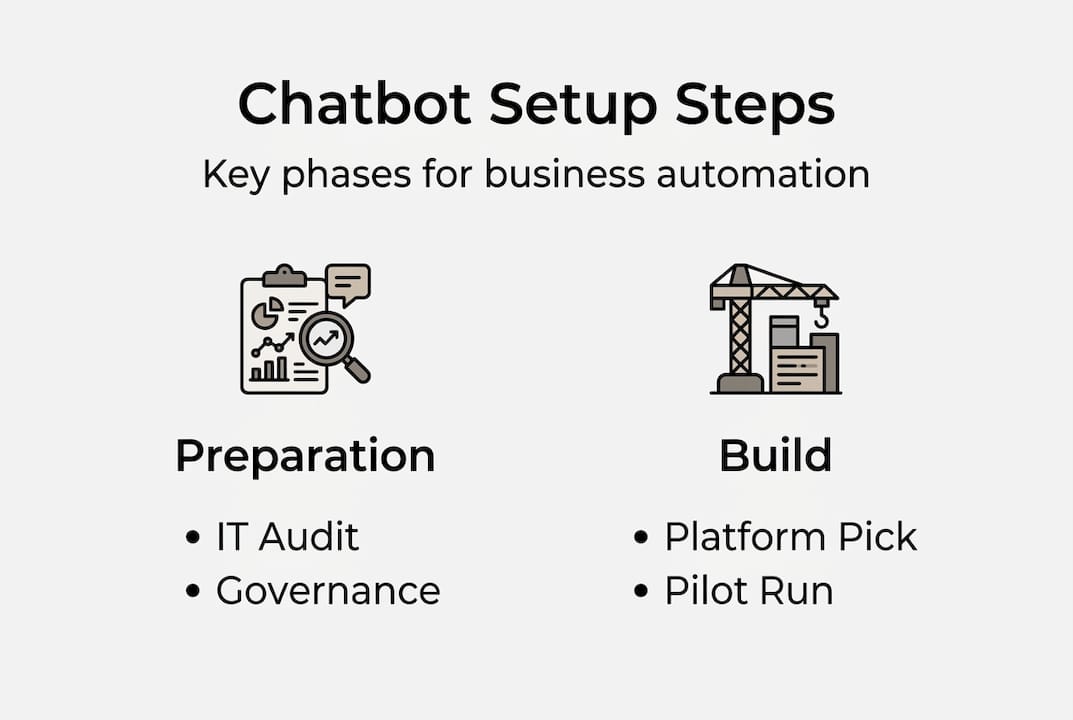
The build phase feels complex, but breaking it into discrete steps makes it manageable. Here's the sequence that consistently produces reliable enterprise bots:
- Define the chatbot's purpose. Write a one-paragraph description of what the bot does, who it serves, and what it should never do. This becomes your configuration anchor.
- Connect knowledge and data sources. Link the bot to your knowledge base, SharePoint, Confluence, or ticketing system. Clean, structured data produces accurate responses.
- Configure suggested prompts and triggers. Set up the phrases or events that activate the bot. For IT helpdesk bots, common triggers include password reset requests, software access queries, and VPN troubleshooting.
- Test flows in isolation. Run each conversation path independently before connecting them. This catches permission errors and data leakage before users encounter them.
- Deploy to a sandbox channel. Use an internal Teams channel or demo site as your first deployment environment.
- Publish to production channels. Once sandbox testing passes, extend to your target channels, whether that's Slack, WhatsApp, or your web portal.
The Microsoft Copilot Studio quickstart illustrates this well: describe the agent's purpose, auto-generate instructions, add knowledge sources, configure prompts, and publish to Teams or M365 channels. The pattern transfers across most modern platforms.
Here's a quick reference for the tools and decisions at each stage:
| Build stage | Key action | Common tool |
|---|---|---|
| Purpose definition | Write agent description | Plain language or prompt editor |
| Knowledge connection | Link data sources | SharePoint, Confluence, APIs |
| Trigger configuration | Set activation phrases | Intent recognition engine |
| Isolated testing | Validate each flow | Sandbox environment |
| Channel deployment | Publish to users | Teams, Slack, Web chat |
For teams following structured AI automation steps, this staged approach dramatically reduces post-launch firefighting. Check platform update logs regularly, since AI platforms release capability updates frequently and your configuration may need adjustment.
Pro Tip: Validate every data connection in isolation before combining them. A single misconfigured API permission can expose data across departments or silently return empty responses that confuse users.
Ensuring governance, data protection, and minimizing risks
Having built your bot, the next step is keeping it and your business safe and compliant.

Governance isn't a checkbox you complete after launch. It's a continuous practice that starts before the first line of configuration. Apply sensitivity labels to every data source the bot accesses. If a document is classified as confidential, the bot should not surface its contents to users without the appropriate clearance.
Data loss prevention (DLP) policies need to operate at both the data layer and the bot layer. This means the bot should be unable to extract, copy, or transmit sensitive fields like Social Security numbers, financial records, or health information, even if a user requests it.
Authentication is non-negotiable. Enforce identity verification through Azure Active Directory or your existing identity provider, and apply role-based access so that an HR chatbot only surfaces data relevant to the requesting employee's role. Choosing secure chatbot platforms that support these controls natively saves significant integration effort.
Monitor your bot continuously for two specific failure modes: hallucination (generating confident but incorrect answers) and drift (gradual degradation in accuracy as underlying data changes). Set up automated alerts when confidence scores drop below a defined threshold.
"Build governance first and review it often. The organizations that skip this step don't just face compliance risk. They face user trust collapse, which is far harder to recover from."
Always build human escalation into your flows. Governance-first rollouts consistently outperform those that treat it as an afterthought. For low-confidence responses or sensitive queries, route to a human agent automatically. As noted in enterprise AI deployment research, validating connections before deployment and building escalation paths for edge cases are the two most overlooked steps in enterprise rollouts.
Common governance pitfalls to avoid:
- Deploying without sensitivity labels on connected data sources
- Skipping DLP policy validation in the sandbox environment
- Allowing the bot to respond to queries outside its defined scope
- Failing to log and audit bot interactions for compliance review
- Omitting human escalation for low-confidence or high-stakes queries
Measuring success: Metrics and continuous improvement
With governance in place, it's vital to prove value and drive ongoing improvements.
You can't improve what you don't measure. Enterprise chatbot programs that lack clear metrics tend to drift toward vanity usage numbers, total conversations, sessions started, and miss the business outcomes that actually matter.
Here are the metrics that give you a real picture of performance:
- Containment rate. The percentage of conversations resolved by the bot without human escalation. A well-tuned IT helpdesk bot should target 60 to 80 percent containment within six months.
- Average resolution time. Compare bot-handled resolution time against human-handled time for the same query type. The gap is your efficiency gain.
- Customer satisfaction (CSAT). Collect post-interaction ratings. Low CSAT on bot interactions signals a knowledge gap or a flow design problem.
- Cost savings and ROI. Calculate labor hours saved multiplied by fully loaded cost per hour. Productivity gains from AI can be substantial at scale, with organizations like IBM reporting billions in internal productivity improvements.
- Escalation rate by topic. High escalation on specific topics reveals where the bot needs better training data or clearer scope boundaries.
Use hybrid human-AI feedback loops in the early months. Have human agents review escalated conversations weekly and flag patterns. Feed those patterns back into the bot's knowledge base and intent recognition. This loop accelerates improvement faster than any automated tuning alone.
For teams tracking measuring automation impact, connecting chatbot metrics directly to business KPIs, like reduced ticket volume, faster onboarding, or lower support cost per user, builds the executive visibility that sustains long-term investment.
Pro Tip: Tie every chatbot metric to a business KPI that your leadership team already tracks. "Containment rate" means little to a CFO. "$340,000 in annual support cost reduction" gets budget approved.
Scaling up and future trends: Multi-agent orchestration and proactive AI coworkers
Finally, let's explore how to grow your chatbot program and keep pace with fast-evolving AI trends.
Most successful enterprise chatbot programs share one counterintuitive trait: they started embarrassingly small. A single use case, one channel, limited scope. That discipline is what makes scaling sustainable.
Here's how to grow without losing control:
- Add channels incrementally. Once your IT helpdesk bot performs well on Teams, extend it to Slack or your web portal before adding WhatsApp or email.
- Expand use cases by department. After IT, HR self-service is typically the next high-value target. Then finance, then operations.
- Introduce hybrid AI gradually. Combine generative AI responses with rule-based flows for high-stakes processes where predictability matters more than flexibility.
- Use feature flags. Roll new capabilities to a subset of users before full deployment. This limits blast radius when something behaves unexpectedly.
The next frontier is multi-agent orchestration. Instead of one bot handling everything, specialized agents collaborate: one retrieves data from Salesforce, another processes a request in ServiceNow, and a third generates a summary for the user. Agentic AI is shifting from reactive chatbots to proactive coworkers that initiate actions without waiting for user prompts.
As enterprise-grade agent builders on Azure demonstrate, starting with pilots and low-risk deployments before expanding gradually is the pattern that separates successful programs from abandoned ones.
Explore enterprise AI automation approaches that support orchestration natively. Teams learning about AI orchestration early gain a significant advantage as the technology matures. Understanding enterprise orchestration explained at a platform level helps you evaluate whether your current infrastructure can support multi-agent workflows or needs an upgrade.
The real-world truth about enterprise chatbot rollouts
With the main process covered, here's our honest viewpoint from real-world deployments.
Most enterprise chatbot failures aren't technology failures. They're process failures. Teams skip the pilot phase because leadership wants results fast. Governance gets deprioritized because it slows the build. And then, six months after launch, the bot is giving wrong answers, leaking data it shouldn't access, or simply sitting unused because nobody trained employees to trust it.
Here's what we've seen work consistently: hybrid AI beats pure generative AI in large organizations, at least in the first two years. Rule-based flows handle predictable, high-stakes processes reliably. Generative AI handles nuanced, open-ended queries. Combining them gives you dependability where it matters and flexibility where it's safe.
Culture change is as critical as the technology itself. If your support team sees the chatbot as a threat rather than a tool, they'll route around it. Involve them in the design phase. Make them co-owners of the bot's knowledge base. That shift in ownership changes everything.
The most advanced tools can't fix a misaligned strategy. Before you invest in multi-agent orchestration or proactive AI coworkers, make sure your foundational use cases are delivering measurable value. Start simple, measure everything, and expand only after early wins are documented. Explore real solutions for enterprise automation that match where your organization actually is, not where you hope to be in three years.
Power your enterprise automation with CrossPath
To accelerate chatbot-driven business transformation, the right platform makes all the difference.
CrossPath is built specifically for enterprise teams that need to move fast without sacrificing governance or security. You describe what you want in plain language, and CrossPath configures the integrations, workflows, and deployment channels automatically. No coding. No drag-and-drop complexity. Just results.
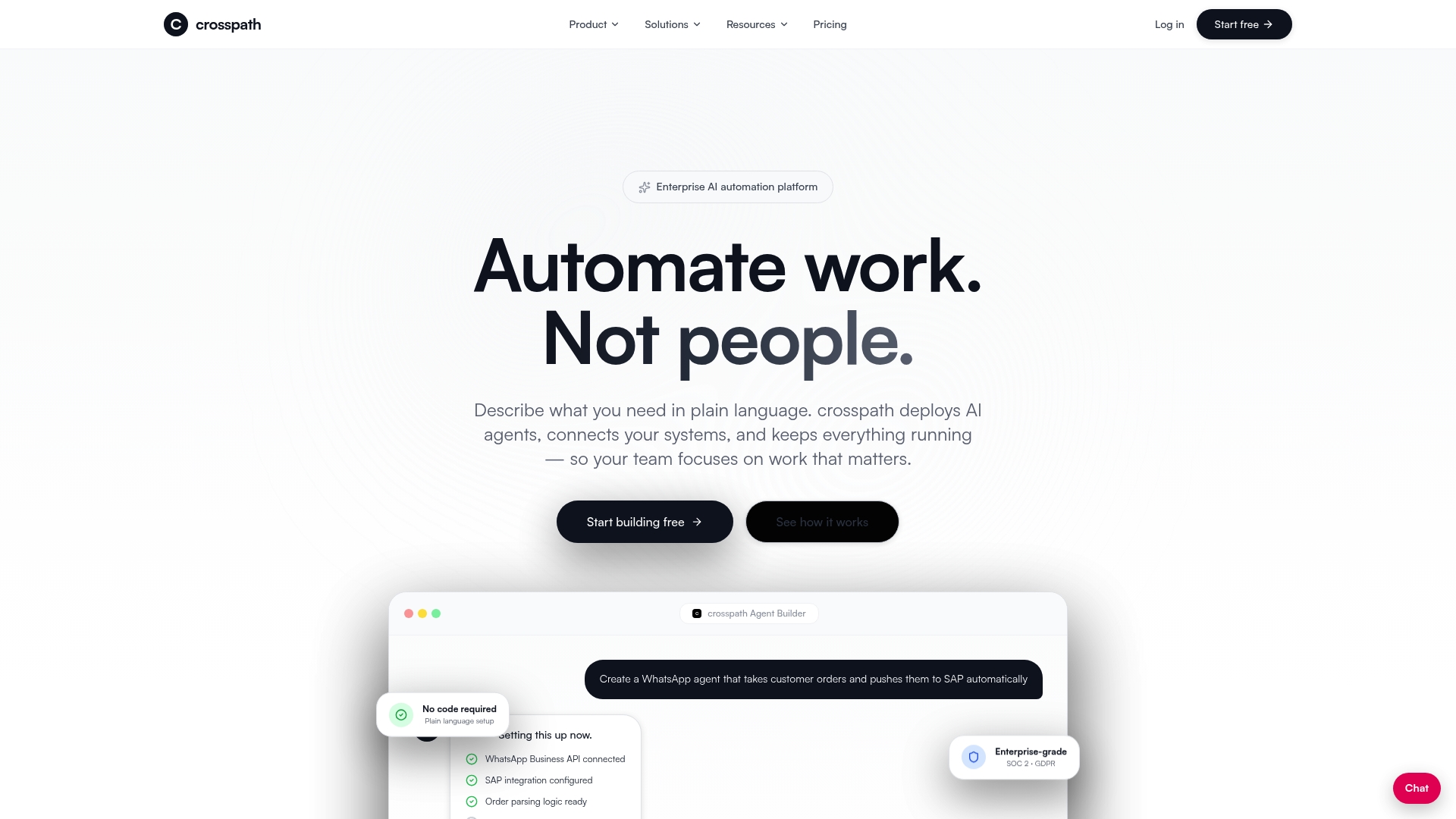
With built-in SOC 2 and GDPR compliance, role-based access, real-time analytics, and connections to over 500 enterprise tools including SAP, Salesforce, ServiceNow, and Workday, CrossPath gives your team everything needed to pilot, scale, and govern AI automation confidently. Explore automation solutions designed for organizations like yours, or dive into our AI automation guide to see how teams are driving measurable ROI from day one.
Frequently asked questions
What are the main reasons enterprise chatbot projects fail?
Over 40% of agentic AI projects fail due to costs, unclear value, and unmanaged risks. Most failures trace back to vague objectives, absent governance frameworks, and insufficient pilot testing before full deployment.
Which metrics should I track to measure chatbot success?
Track containment rate, resolution time, CSAT, and ROI against your existing business benchmarks. Connecting these metrics to KPIs your leadership already monitors is what sustains long-term investment.
How can I ensure my enterprise chatbot protects sensitive data?
Implement sensitivity labeling, data loss prevention policies, and strict role-based access controls from day one. Governance-first rollouts that include authentication via Azure AD and continuous monitoring for drift and hallucination consistently outperform those that add security as an afterthought.
Should I start with a pilot or launch chatbots company-wide?
Always begin with a low-risk pilot on a single use case and channel. Starting small with gradual expansion using feature flags lets you validate benefits and mature your governance before scaling to the broader organization.